- Published on
Find Memory Leaks
Introduction
During a recent project upgrade, I used Instruments to investigate memory leaks. The results were quite revealing, so I'm documenting the process here.
Instruments
To make the most of Instruments, I went through Apple's relevant documentation to understand the proper approach for tracking down memory leaks.
To Investigate a Leak Using the Call Tree
- Open Instruments from within your Xcode project (so you can navigate directly to source code later), then find the Leaks instrument.
- Select "New Trace Document" and click the Record button.
- Use the app normally.
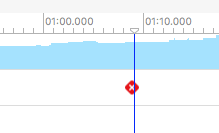
- Watch the Leaks timeline — red blocks indicate memory leaks.
- Click
Call Treeto display the call stack. Clicking the black triangle expands individual method calls.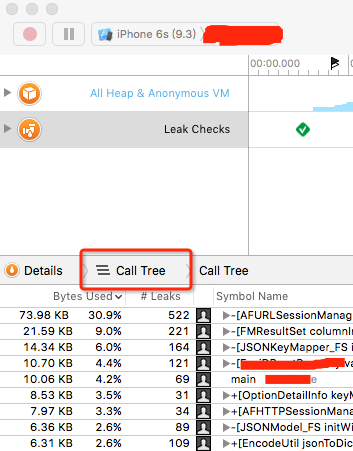
- Press
Command-2to open the display settings. EnableInvert Call TreeandHide System Libraries. The most recent calls will appear at the top.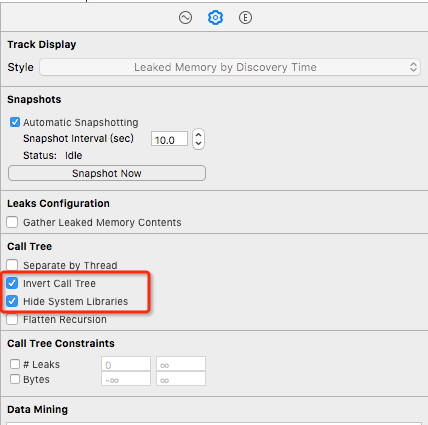
- Select the method call you want to investigate from the call stack.
- Press
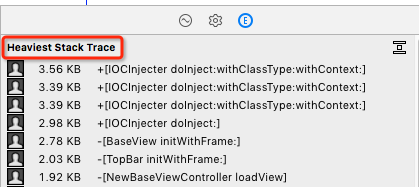
Command-3to see memory usage for each method. - Double-click a method to view the corresponding source code.
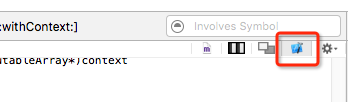
- Click the Xcode button to jump to the relevant code in Xcode.
I haven't needed To investigate a leaked object using a backtrace or To investigate a leaked object using cycles and roots yet, so I'll skip those for now. In practice, tracking through the call tree is sufficient to locate most memory leaks — and tracing the cause matters more than merely detecting leaks.
Investigating the Code
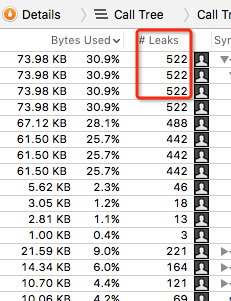
This memory leak looked alarming, but digging into it led to a basic networking library. I suspected it might be a false positive from Instruments. So I went looking for block retain cycles in the code. Still uneasy, I tracked the AFHTTPSessionManager instance (manager). After the request instance was deallocated, the manager inside was indeed not being released.
I searched Google for NSURLSession Memory Leaks and found quite a bit of information:
NSURLSession is holding a strong reference to its delegate (retain cycle)
Possible memory leak in AFURLSessionManager
The session object keeps a strong reference to the delegate until your app exits or explicitly invalidates the session. If you do not invalidate the session, your app leaks memory until it exits.
The key point: NSURLSession holds a strong reference to its delegate. If you don't explicitly invalidate the session, it will leak memory.

As mattt explains, when using AFNetworking, to terminate a session you need to call invalidateSessionCancelingTasks:. Of course, if your entire app uses only a single session, this isn't necessary.
The fix was to make the manager an instance variable and call invalidateSessionCancelingTasks: in dealloc. Running Leaks again showed much less alarming results. This is one of the pitfalls introduced in AFNetworking 3.0.