- Published on
Integrating React Native into an Existing Project
Introduction
Does using React Native mean you have to rewrite your entire project from scratch? There are plenty of tutorials out there, but very few explain how to integrate RN into an existing project. I worked through it myself and am documenting the process here. This marks the beginning of my RN journey. One thing to keep in mind: RN iterates very quickly, and differences between versions can be significant — always pay attention to the version when troubleshooting.
Integrating React Native
The prerequisite is that the React Native environment is already set up.
Create the Component
Create a new directory called react-component and inside it create a JS file named index.ios.js.
'use strict';

var React = require('react-native');
var {
  Text,
  View,
  Image,
} = React;

var styles = React.StyleSheet.create({
  container: {
    flex: 1,
    backgroundColor: 'red'
  }
});

class SimpleApp extends React.Component {
  render() {
    return (
      <View style={styles.container}>
        <Text>This is a simple application.</Text>
      </View>
    )
  }
}

React.AppRegistry.registerComponent('SimpleApp', () => SimpleApp);
Inside this directory, run:
npm install react
npm install react-native@0.38.0
Version 0.40.0, released recently, has significant breaking changes, so we'll use 0.38.0 for now. To install a specific version:
npm install react-native@0.37.0. For details, see: Upgrading.
Initialize CocoaPods
Using CocoaPods to manage third-party libraries is recommended, and it also makes integrating RN easier.
Create a new project called react-in-project, run pod init in the project directory, and set up the Podfile as follows:
# Uncomment the next line to define a global platform for your project
platform :ios, '8.0'

target 'react-in-project' do
  # Uncomment the next line if you're using Swift or would like to use dynamic frameworks
    use_frameworks!

   # Depending on how your project is organized, your node_modules folder
   # may be in a different location. Update the :path accordingly.
    pod 'React', :path => './react-component/node_modules/react-native', :subspecs => [
        'Core',
        'RCTImage',
        'RCTNetwork',
        'RCTText',
        'RCTWebSocket',
    # Add any other subspecs you want to use in your project.
    ]

    target 'react-in-projectTests' do
        inherit! :search_paths
    # Pods for testing
    end

    target 'react-in-projectUITests' do
        inherit! :search_paths
        # Pods for testing
    end

end
The
pod 'React'version available on CocoaPods is far behind the official release, which is why the official docs recommend referencing it from a local path.
Run pod install:
$ pod install
Analyzing dependencies
Fetching podspec for `React` from `./react-component/node_modules/react-native`
Downloading dependencies
Installing React 0.38.0 (was 0.40.0)
Generating Pods project
Integrating client project
Sending stats
Pod installation complete! There are 5 dependencies from the Podfile and 1 total pod installed.
Referencing RN in the Project
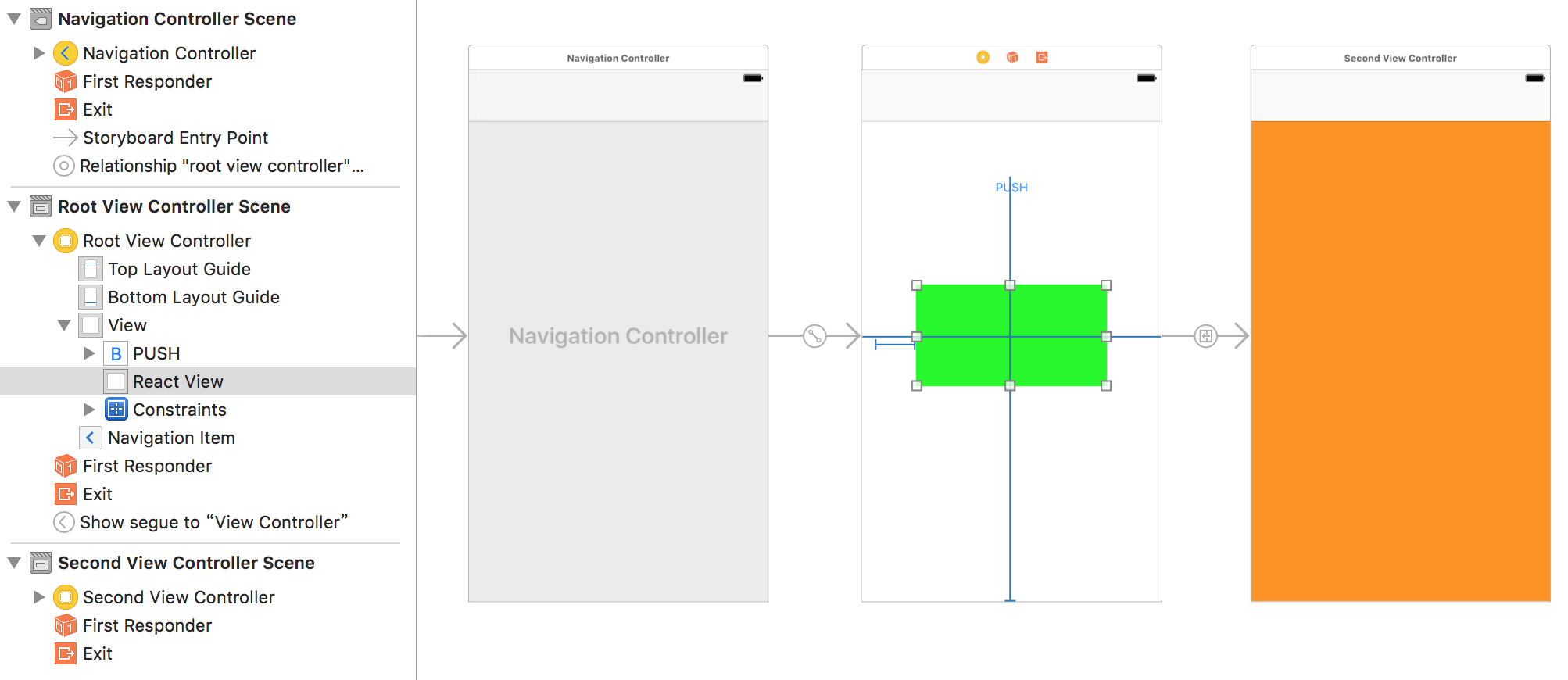
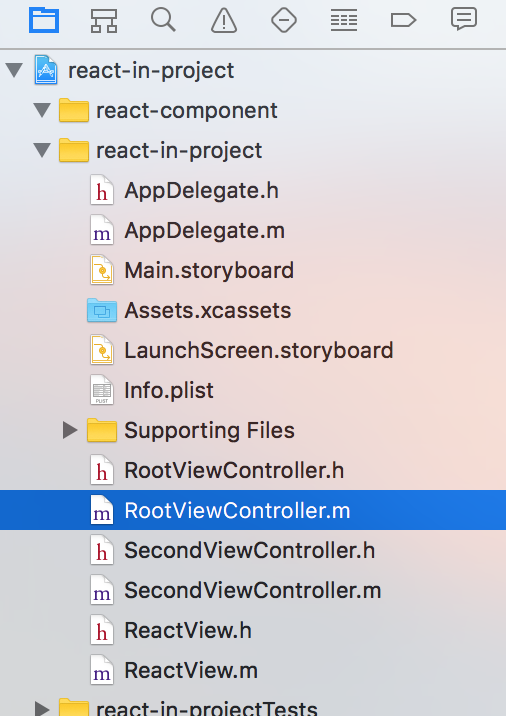
The project UI looks like this:
Create a ReactView class:
//ReactView.m
#import "ReactView.h"
#import <React/RCTRootView.h>

@interface ReactView()

@property (nonatomic, weak) RCTRootView *rootView;

@end

@implementation ReactView

- (void)awakeFromNib {
    [super awakeFromNib];

    NSString *urlString = @"http://localhost:8081/index.ios.bundle";
    NSURL *jsCodeLocation = [NSURL URLWithString:urlString];
    RCTRootView *rootView = [[RCTRootView alloc] initWithBundleURL:jsCodeLocation
                                                        moduleName:@"SimpleApp"
                                                 initialProperties:nil
                                                     launchOptions:nil];
    self.rootView = rootView;
    [self addSubview:rootView];

    self.rootView.frame = self.bounds;
}

@end
In RootViewController.m:
#import "RootViewController.h"
#import "ReactView.h"

@interface RootViewController ()

@property (weak, nonatomic) IBOutlet ReactView *reactView;

@end

@implementation RootViewController

- (void)viewDidLoad {
    [super viewDidLoad];
    // Do any additional setup after loading the view.
}

@end
Running at this point will produce an error:
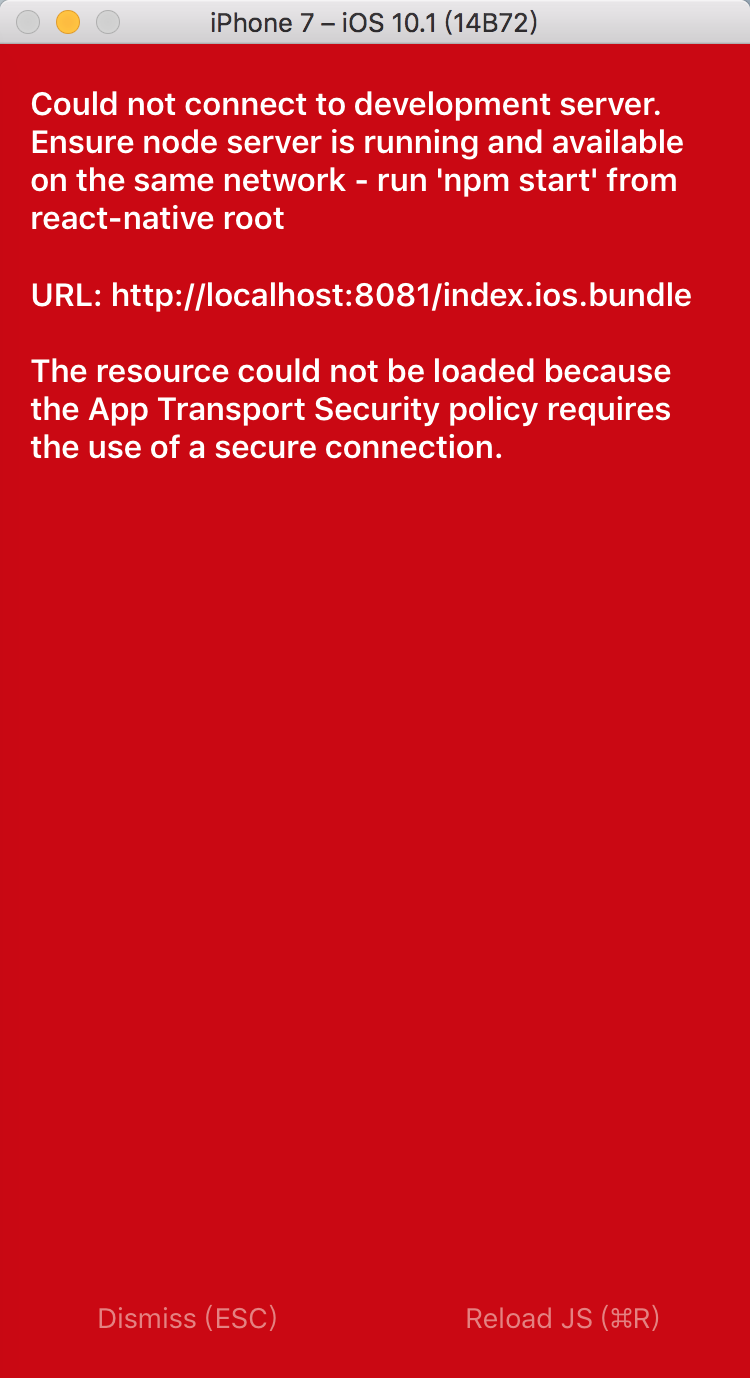
This is because the Node server hasn't been started yet.
Starting the Server
We need to start a server on port 8081 that packages index.ios.js into index.ios.bundle. Once that's running, our code can load it.
Run this command from the project directory:
```(JS_DIR=pwd/react-component; cd react-component/node_modules/react-native; npm run start -- --root $JS_DIR)
> 1. Assigns the full path of the `react-component` directory to `JS_DIR` — must be an absolute path.
> 2. Changes into the `react-component/node_modules/react-native` directory.
> 3. Binding `JS_DIR` watches the `react-component` folder, then `npm run start` launches the Node server.
> 4. Wrapping the three commands in `()` prevents the terminal from ending up inside the `node_modules/react-native` directory after execution.

Output:

```shell
$ (JS_DIR=`pwd`/react-component; cd react-component/node_modules/react-native; npm run start -- --root $JS_DIR)

> react-native@0.38.0 start /Users/qd-hxt/Documents/gworkspace/react-in-project/react-component/node_modules/react-native
> /usr/bin/env bash -c './packager/packager.sh "$@" || true' -- "--root" "/Users/qd-hxt/Documents/gworkspace/react-in-project/react-component"

Scanning 640 folders for symlinks in /Users/qd-hxt/Documents/gworkspace/react-in-project/react-component/node_modules (8ms)
 ┌────────────────────────────────────────────────────────────────────────────┐
 │  Running packager on port 8081.                                            │
 │                                                                            │
 │  Keep this packager running while developing on any JS projects. Feel      │
 │  free to close this tab and run your own packager instance if you          │
 │  prefer.                                                                   │
 │                                                                            │
 │  https://github.com/facebook/react-native                                  │
 │                                                                            │
 └────────────────────────────────────────────────────────────────────────────┘
Looking for JS files in
   /Users/qd-hxt/Documents/gworkspace/react-in-project/react-component
   /Users/qd-hxt/Documents/gworkspace/react-in-project/react-component

[Hot Module Replacement] Server listening on /hot

React packager ready.

[2017-1-22 18:04:19] <START> Initializing Packager
[2017-1-22 18:04:19] <START> Building in-memory fs for JavaScript
[2017-1-22 18:04:20] <END>   Building in-memory fs for JavaScript (151ms)
[2017-1-22 18:04:20] <START> Building Haste Map
[2017-1-22 18:04:20] <END>   Building Haste Map (462ms)
[2017-1-22 18:04:20] <END>   Initializing Packager (662ms)
Visiting http://localhost:8081/index.ios.bundle in a browser works, but the simulator still throws an error.
You need to enable HTTP support.
Enabling HTTP
Add the following to the project's Info.plist:
<key>NSAppTransportSecurity</key>
<dict>
    <key>NSExceptionDomains</key>
    <dict>
        <key>localhost</key>
        <dict>
            <key>NSTemporaryExceptionAllowsInsecureHTTPLoads</key>
            <true/>
        </dict>
    </dict>
</dict>
The next error:
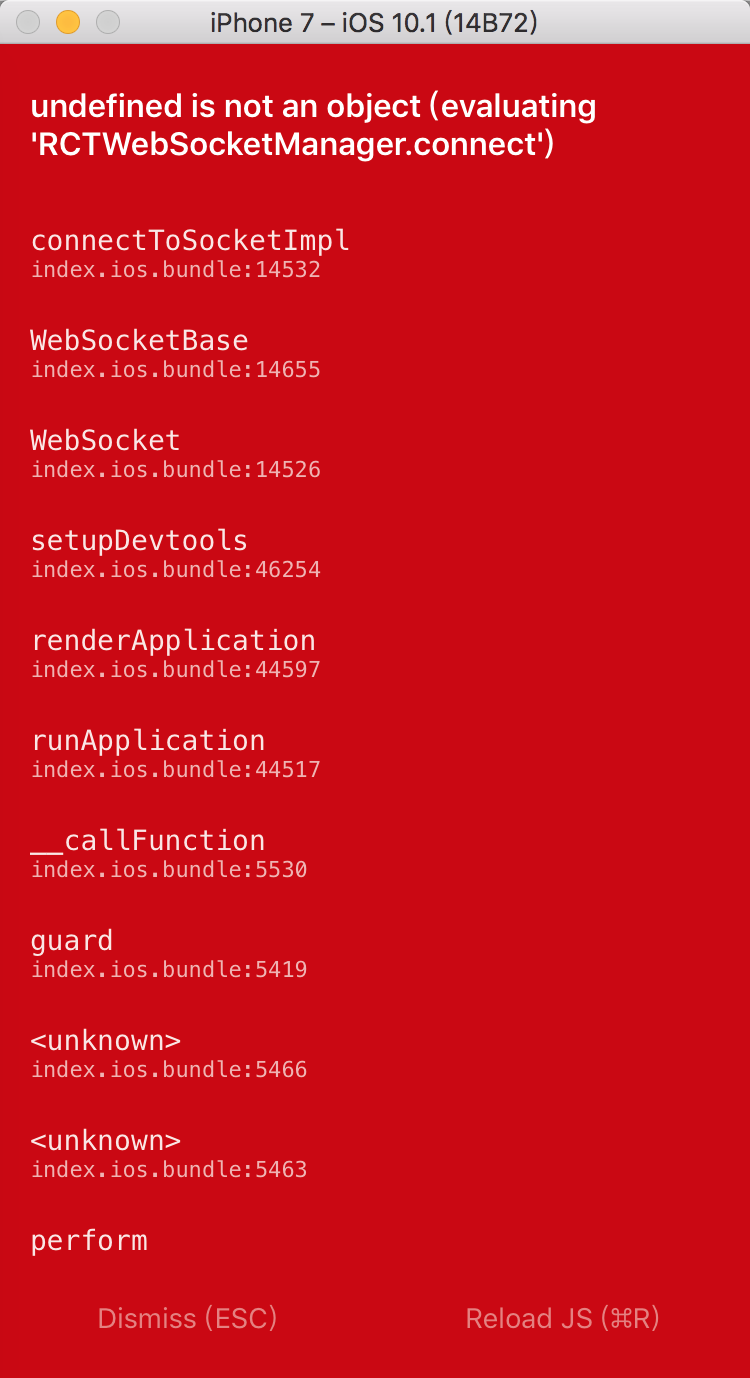
Update the Podfile to add the pod 'React/RCTWebSocket' dependency, then run pod update --no-repo-update.
Run the project again — the expected result appears:
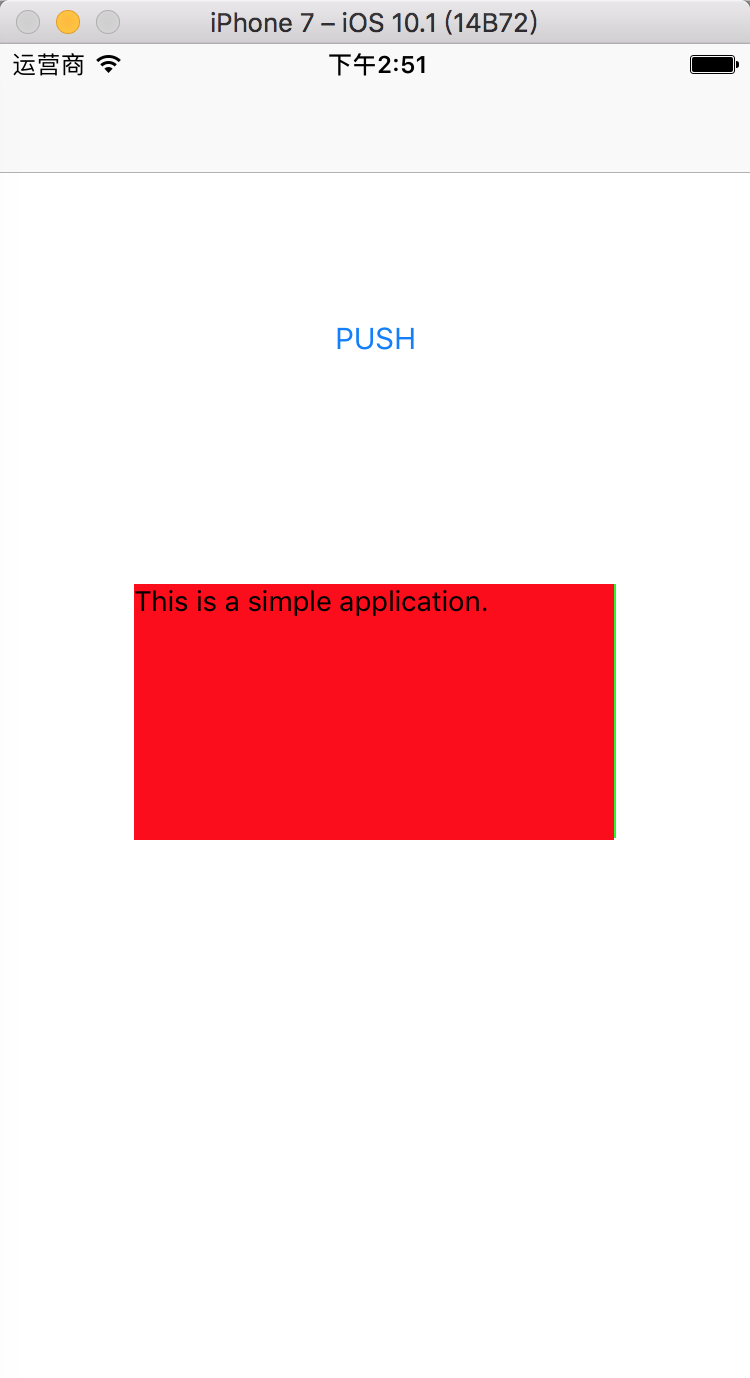
Tap PUSH:

A few things still need to be investigated:
- How to customize the server URL to load from. It should be possible to parameterize this, having the business server push down the bundle URL for the client to load.
- How to differentiate between different bundles when different pages need to load different ones.
Code
All the code in this article can be found on my GitHub react-in-project.