- Published on
Could not find Developer Disk Image
Background
I ran into the Could not find Developer Disk Image error while debugging on an iOS 9.3 device. I've encountered this problem every time after upgrading iOS, but never documented it. Here's a proper write-up.
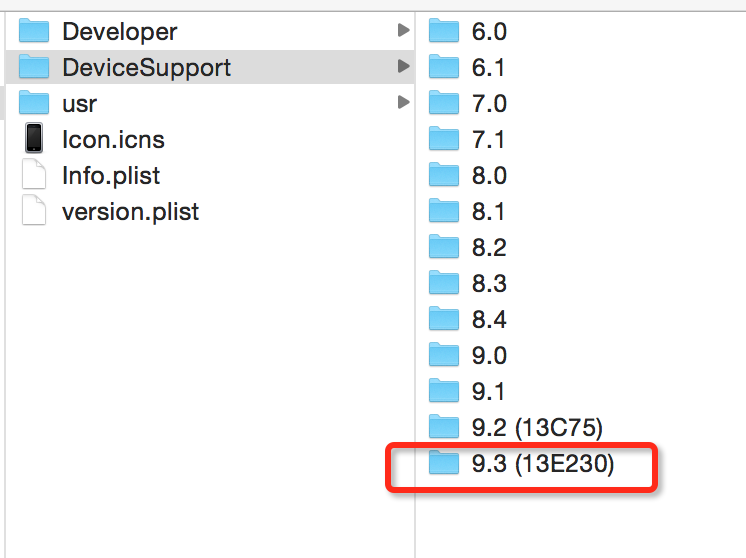
The Could not find Developer Disk Image error occurs when the iOS version on your physical device is either too new or too old for Xcode to find a matching support package. You can navigate to the support package directory at: /Applications/Xcode.app/Contents/Developer/Platforms/iPhoneOS.platform/DeviceSupport. Since many people were complaining that Xcode 7.3 was too sluggish and chose not to upgrade, their Xcode installation doesn't include the support files for the device's iOS version, which prevents them from testing on a physical device.
Steps to fix:
In Finder, press Cmd + Shift + G and enter /Applications/Xcode.app/Contents/Developer/Platforms/iPhoneOS.platform/DeviceSupport. Copy the 9.3 folder into this directory (administrator password required).
Download link: http://pan.baidu.com/s/1kU9mgE7 Password: i6qp